What is Bragi Canvas
A plain-language introduction before your first generation.
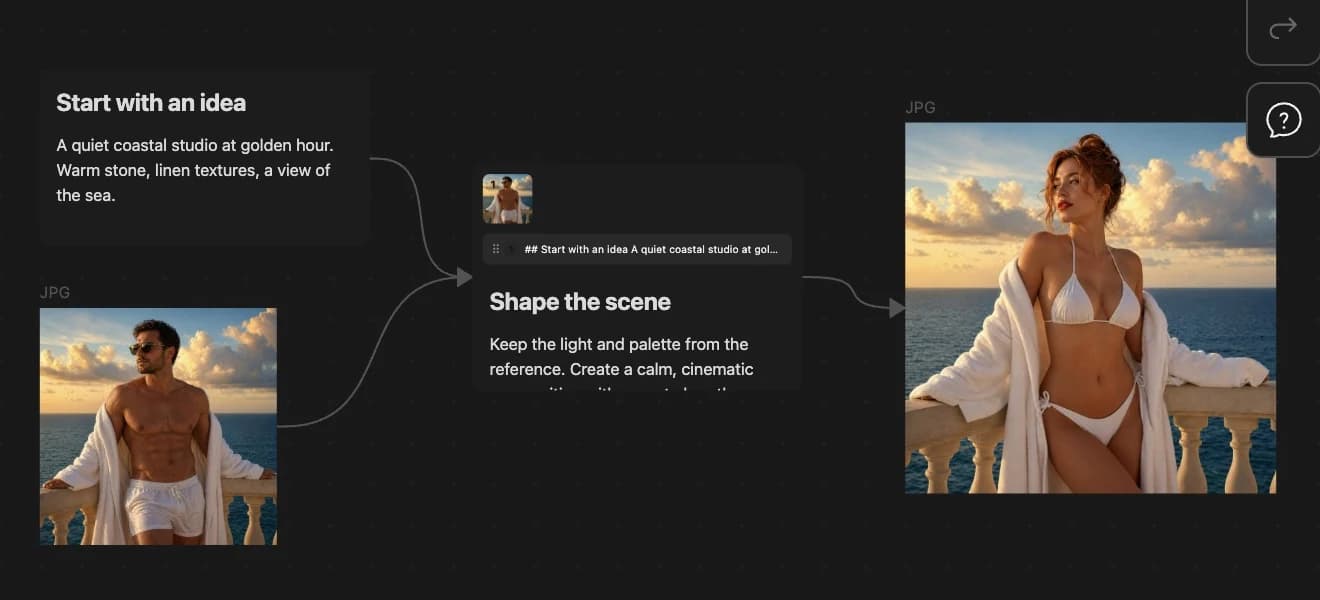
Bragi Canvas is an Obsidian plugin. You work on a .canvas file. Each card can hold text or media. When you select a card, Bragi adds generation buttons to the canvas toolbar.
The basic idea
- A text node usually holds your prompt.
- Arrows can point from reference cards into your prompt.
- You pick a generation type (image, video, text, or audio), choose a model, and click Run.
- Bragi creates a placeholder card while the provider works, then replaces it with the result.
- A new edge connects the prompt to the result.
What you can make
- Images from text prompts or image references.
- Short videos from text, images, or existing video clips.
- Text from prompts, PDFs, images, audio, and other canvas material on supported models.
- Speech, music, and sound effects.
- Storyboards, shot lists, and reusable
.bragiworkflow packages.
What stays on your computer
Your canvas file lives in your Obsidian vault. Bragi only sends the prompt and selected references when you run a generation with the provider you chose.
Some providers need reference files to be reachable by URL. In those cases, Bragi may use temporary cloud storage as a transfer step. See What Gets Sent Online for details.
Requirements
- Obsidian desktop app 1.8.7 or newer.
- Obsidian display language set to English or English (GB).
- At least one AI provider API key for the kind of generation you want to run.
Bragi does not run on Obsidian mobile.
Next step
Continue to Install and First Key.